Time to build it: about one hour, once. After that, a yearly budget takes ten minutes a month to keep true, and the months that used to ambush you show up on the page long before they show up in your account.
Quick answer: how do you build a yearly budget?
A yearly budget is twelve monthly budgets laid side by side. List your fixed monthly costs, list every cost that does not land monthly and the month it lands, spread your income across twelve columns, find the months that come up short, and decide now how each one will be covered.
If you would rather not build the twelve columns by hand, the Monthly and Yearly Budget Spreadsheet has the year view already wired to the monthly tabs, so every number you enter once shows up in both places.
Jump Ahead To:
Why does a monthly budget keep getting ambushed?
Sense here, and let’s look at the numbers. A monthly budget is honest about one thing: this month. It has no idea that your car insurance renews in March, that your professional license fee lands in November, or that December costs what it costs every single year.
So the ordinary months feel fine. Then a bill that was always coming arrives, the month goes red, and the budget looks like it failed. It did not fail. It was only ever looking one month ahead.
Three kinds of months do most of the ambushing:
- Renewal months. Insurance, memberships, subscriptions billed once a year, car registration, a license or certification fee. Each one is predictable and each one is easy to forget until the email arrives.
- Season months. December is the obvious one. Back-to-school, a wedding-heavy spring, a summer trip and a run of birthdays do the same thing on a smaller scale.
- Three-paycheck months. If you are paid every two weeks, two months a year hand you an extra check. Without a plan for it, that money quietly becomes ordinary spending instead of the cushion it could have been.
The founder of this shop spent close to thirty years as a company CFO, and no business she ran budgeted one month at a time. A company plans the year, then lives the month. That is the whole idea here, scaled down to one household.
What is a yearly budget, exactly?
A yearly budget is a single page, or a single tab, with twelve columns across the top, one for each month, and your income and expense lines running down the side. Every line gets a number in every month, even if that number is zero.
That is it. It is not a different method of budgeting and it does not replace your monthly budget. It is your monthly budget with the blinders off, so you can see March from January.
How do you build a yearly budget, step by step?
Open a spreadsheet, or a sheet of paper turned sideways, and work through these five steps in order. Do not skip ahead to the tight months; you need the first three steps to find them.
- List your fixed monthly costs. Rent or mortgage, utilities, phone, internet, insurance you pay monthly, minimum debt payments, childcare, the streaming services you keep. Put each one on its own row and give it the same number in all twelve columns. These are the costs that never surprise you, and they are your baseline.
- List every cost that does not land monthly, and the month it lands. This is the step that makes the whole thing work. Go through last year’s bank and card statements month by month and write down anything that is not on the list from step one: the annual renewal, the two-a-year insurance premium, the summer trip, the December gifts, the birthday season. Put each one in the column of the month it is due, and nowhere else. If you have already built a sinking fund for these, your sinking fund budget is this list, so copy it straight across.
- Lay your income across the twelve columns. Take-home pay, not gross. If you are paid every two weeks, mark the two months that bring a third check and put the extra check in those columns. If your income moves around, use your realistic low month in every column and treat anything above it as a bonus. We wrote a separate guide on irregular income budgeting for exactly that situation.
- Find the tight months. For each column, subtract that month’s total expenses from that month’s income. Most months will show a comfortable number. A few will show a small number, a zero, or a minus sign. Circle those. They are not a problem yet. They are simply the months your monthly budget was never going to warn you about.
- Decide now how each tight month is covered. This is the decision the ambush was stealing from you. For each circled month, pick one: set aside a slice of the comfortable months so the money is waiting (that is the sinking fund move), point a three-paycheck month at it, or trim something in that month on purpose. Write the decision in the sheet next to the month. A tight month with a plan attached is just a month.
That is the hour. Everything after this is maintenance.
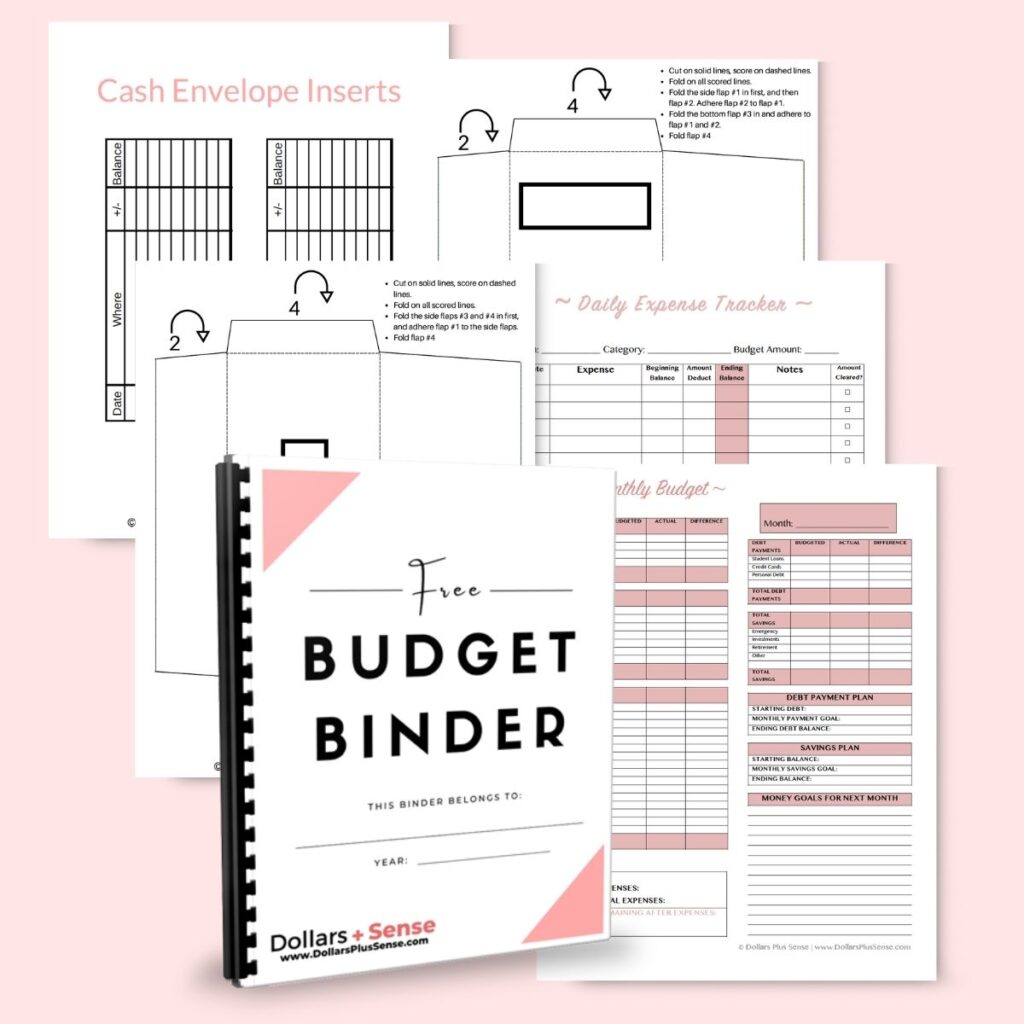
Want the printable version of these five steps? The free budget binder has a yearly overview page you can fill in with a pen while you work through your statements. It costs nothing but your email address.
What does a yearly budget look like in real life?
Here is one invented year with round numbers, so you can see the shape of it. Nothing here is a recommendation; it is an example, and your columns will look different.
Say your take-home pay is $4,000 a month, every month. Your fixed monthly costs from step one add up to $2,900, and your everyday flexible spending (groceries, gas, the fun money) runs about $800. In an ordinary month that leaves $300 unspoken for.
Now the step-two list goes in. Car insurance is $600, due in March and again in September. Renter’s insurance is $180 in June. Car registration is $150 in August. A professional license is $200 in November. A summer trip is $900 in July. Wedding and birthday season runs about $300 in May. December gifts are $500.
Lay those across the columns and step four shows you the year clearly. Eight months finish with money to spare. March and September each come up $300 short. July comes up $600 short. December comes up $200 short. Those four are the ambush months, and now you can see all of them in January.
Step five is where it turns around. Those non-monthly costs total $3,430 for the year, which is about $290 a month. The ordinary months had $300 to spare. So the decision writes itself: move $290 out of checking every month into a separate savings account labeled for these bills, and every one of the four tight months is already covered before it arrives. The year was never actually short. It was only uneven.
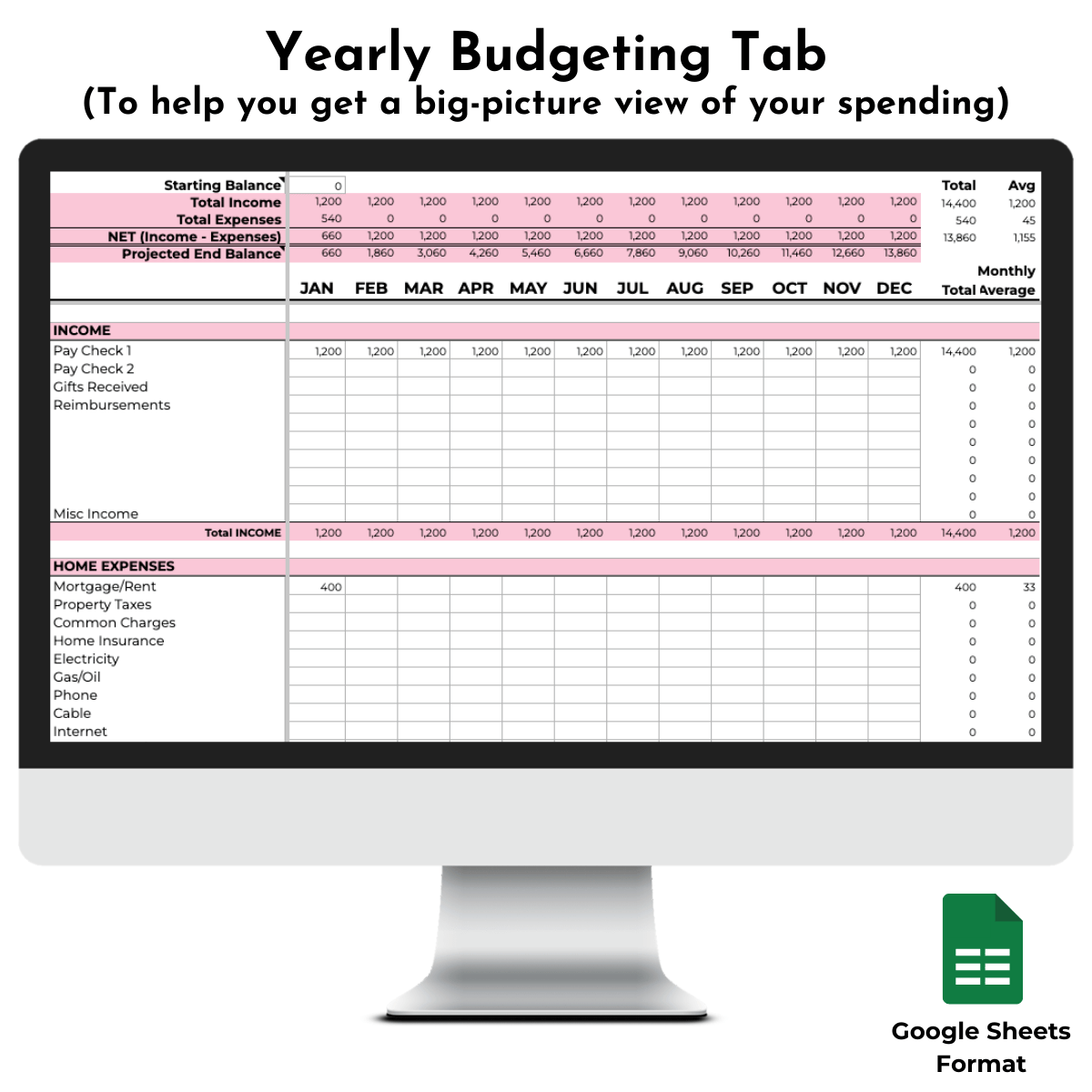
That screenshot is the yearly tab of the spreadsheet itself. The twelve columns, the total on the right and the monthly average beside it are exactly the view the five steps above build by hand.
How do the yearly view and the monthly view work together?
Here is the part most people miss, and it is the reason a yearly budget does not become one more thing to maintain.
The monthly tab is where you live. It is the page you open on payday, the one with this month’s actual grocery number and this month’s actual gas number. It is detailed and it is short-term, and that is what it is for.
The yearly tab is where you look ahead. You open it maybe once a month, glance across the next two or three columns, and check that the plan for the next tight month is still on track. It is not detailed and it is not meant to be.
The trick is that the two should feed each other without you entering anything twice. That is the whole design of the Monthly and Yearly Budget Spreadsheet: twelve monthly tabs, one yearly tab, and the monthly numbers flow into the year view on their own. You live in the month, and the year updates behind you. If you are building this on paper or in a blank sheet, you can do the same thing by hand; just set a fixed day each month to copy the month’s totals into the year column, or the year view goes stale by spring.
Savvy would add one thing here, and she is right: the yearly view is also where opportunity shows up. Once you can see that eight months finish with money to spare, you can see what that money could be doing. A goal you were going to get to “someday” suddenly has twelve columns to live in.
Frequently asked questions about yearly budgets
What is the difference between a yearly budget and a monthly budget?
A monthly budget plans one month in detail. A yearly budget lays twelve of those months side by side so you can see the costs that only land a few times a year, and the months they land in, before they arrive. You need both: the monthly one to spend by, the yearly one to plan by.
Can I start a yearly budget in the middle of the year?
Yes, and you should not wait for January. Start with the current month as your first column and run twelve columns forward from there, so a budget started in October runs through next September. The point is to see the next twelve months, not the calendar year.
How often should I update a yearly budget?
Once a month is plenty. When you close out the month, replace that column’s planned numbers with what actually happened, then glance at the next two or three columns to make sure the next tight month still has its plan. If a spreadsheet is doing the copying for you, this takes about ten minutes.
What if my income changes partway through the year?
Change the income row from that month forward and look at step four again. A raise usually turns a tight month into an ordinary one. A drop usually creates a new tight month or two, and the same step five decision applies: set money aside ahead of it, point an extra check at it, or trim something in that month on purpose. The budget did not break; it just needs its columns updated.
Do I need a spreadsheet, or can I do this on paper?
Paper works, and the free budget binder linked above has a page for it. The trade-off is the copying: on paper you carry the monthly totals into the year view yourself, and the math is yours to check. A spreadsheet does both automatically, which is the main reason people who start on paper move to one.
Build your year this weekend: the Monthly and Yearly Budget Spreadsheet ($10)
Twelve monthly tabs, one yearly tab, and every number flows from the month into the year on its own. Includes an annual-to-monthly calculator for the step-two costs, walk-through videos, and instructions for Google Sheets, Excel or Numbers. It is the spreadsheet in the screenshot above and the store’s most-bought tool.
Not sure a spreadsheet is your format? Browse everything in the Getting a grip door and pick the one you will open.
A yearly budget does not ask you to be more disciplined. It asks you to look twelve columns ahead one time, so the months that used to surprise you become months you already planned for. Budget the year, live the month, and let the tight months arrive already covered.
General education, not investment advice.